Create a Teacher Account
Written by Daniel Stedman· Updated over 2 years ago
Create a Teacher Account
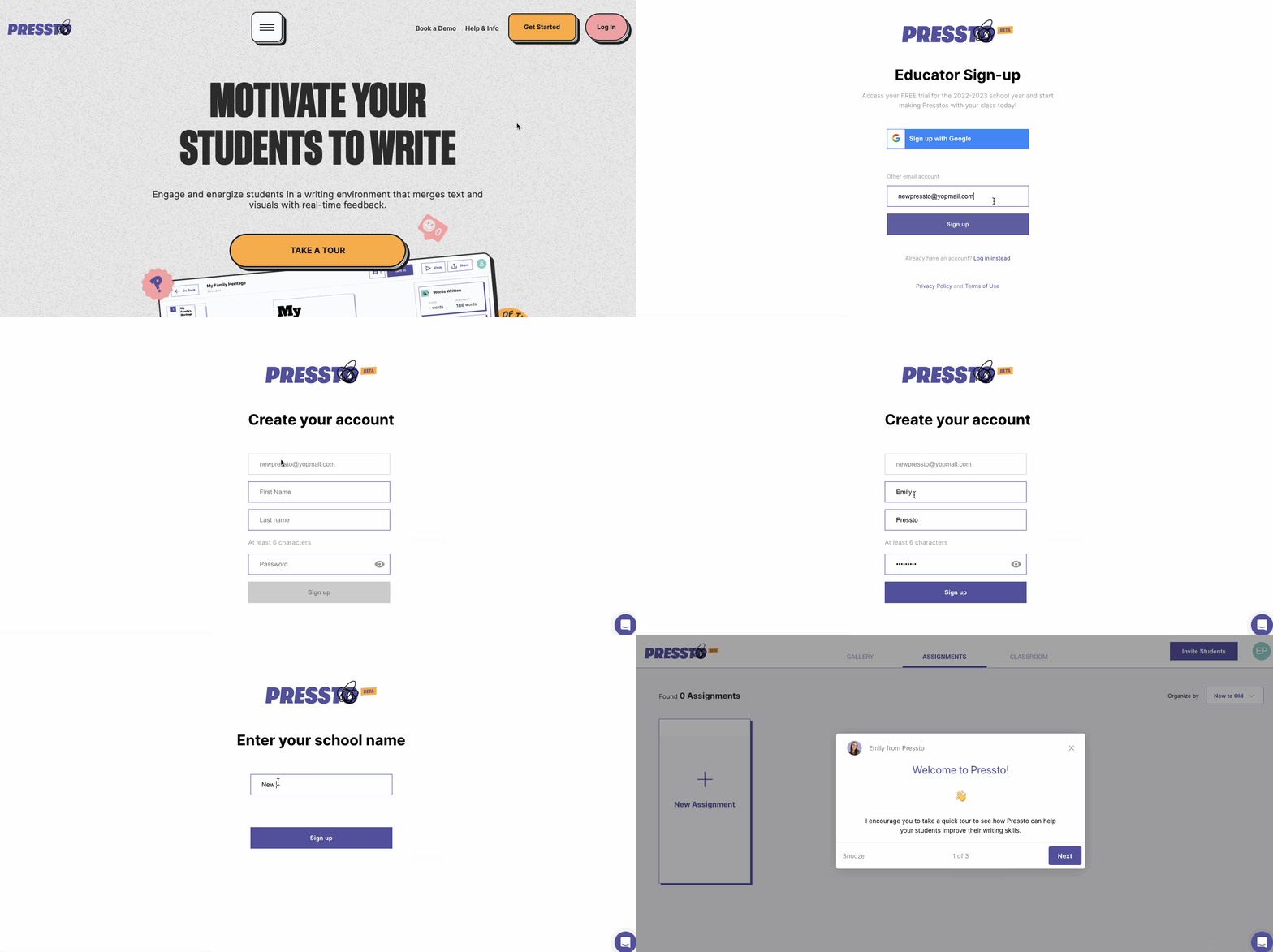
Visit joinpressto.com and click "Get Started"
Select "Teacher"
Click "Sign Up with Google" OR enter your email address
If you sign up by entering your email address, you will follow these additional steps:
Check your email to verify your email address.
Enter your name and password.
Enter your school name
Your account is created. Welcome to Pressto!
Creating an account with email and passsword